We do it for you
At Logitrac we are always striving to give dealers the most effective tools to operate and manage the loaner fleet. We have scheduled a major release and the below information will provide an in depth look at the changes.
Launch Date
Features available on Wednesday, March 18th, 2026.
You’ll have access to all these new and exciting features starting then.
As always, below is the best way to clear your cache and report any issues:
Clearing Cache (CTRL + Shift + DEL)
Use LIVE Chat — Click Support in the main menu
Email: helpdesk@logitrac.com
Phone: 888-598-0887
● Tekion Lead Integration is now supported *Within MarketDrive
○ Dealerships using the Tekion integration can now receive customer leads automatically in their Tekion CRM.
○ When a customer interacts with a MarketDrive link and confirms interest, Logitrac will send the lead directly to Tekion. Any follow-up customer responses will also update in Tekion to keep both systems synchronized.
● One-time Out-of-Area fee can now be applied
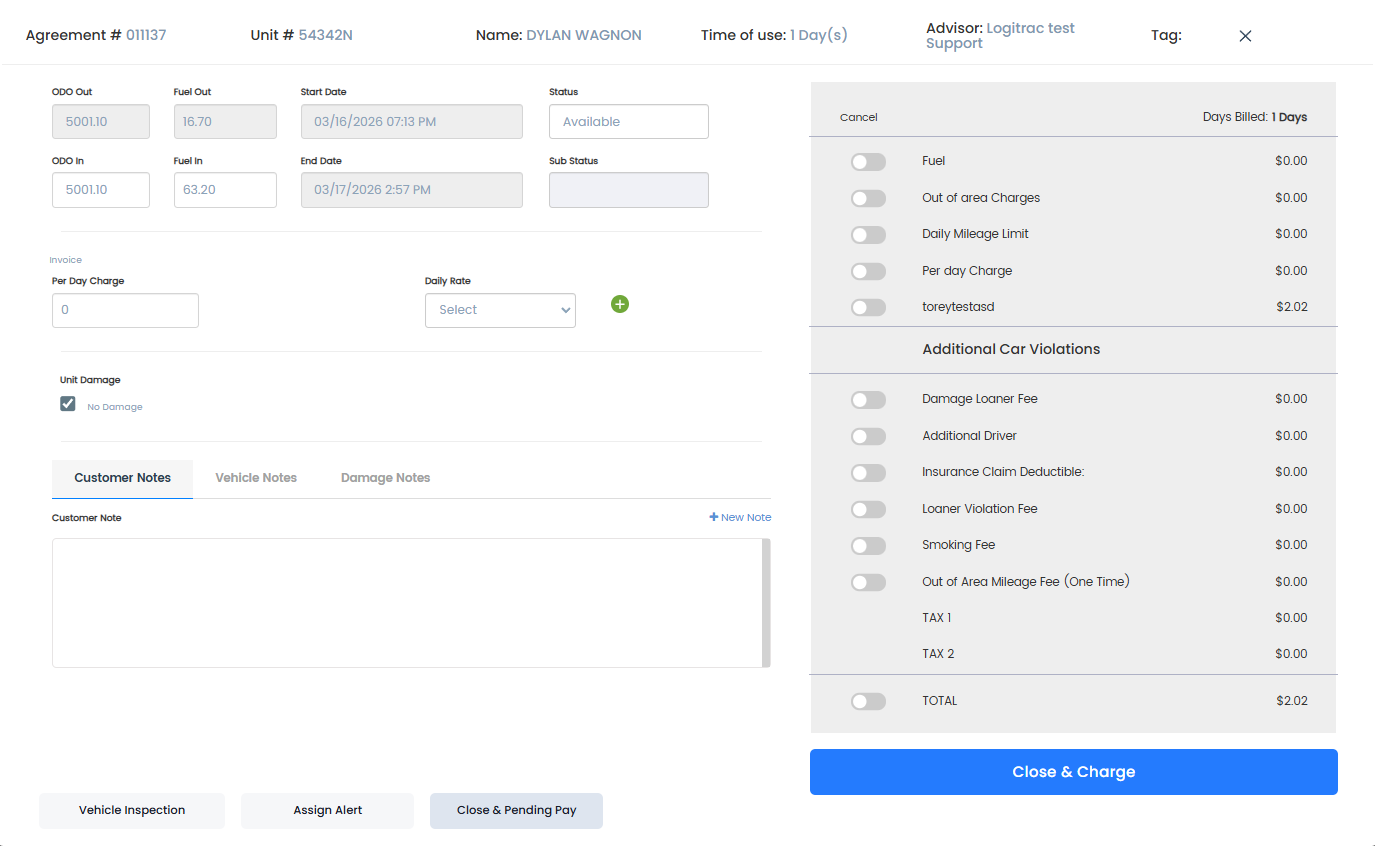
○ Dealers now have the option to charge a single penalty fee when a customer leaves the designated travel area. This replaces the traditional per-mile charge when enabled.
○ The one-time fee will be triggered automatically when an Out-of-Area alert is detected and can be applied during both the Close Agreement and Modify Charges processes.
● Reports Settings tab added to configure main report options
○ A new Reports Settings tab has been added to the system configuration.
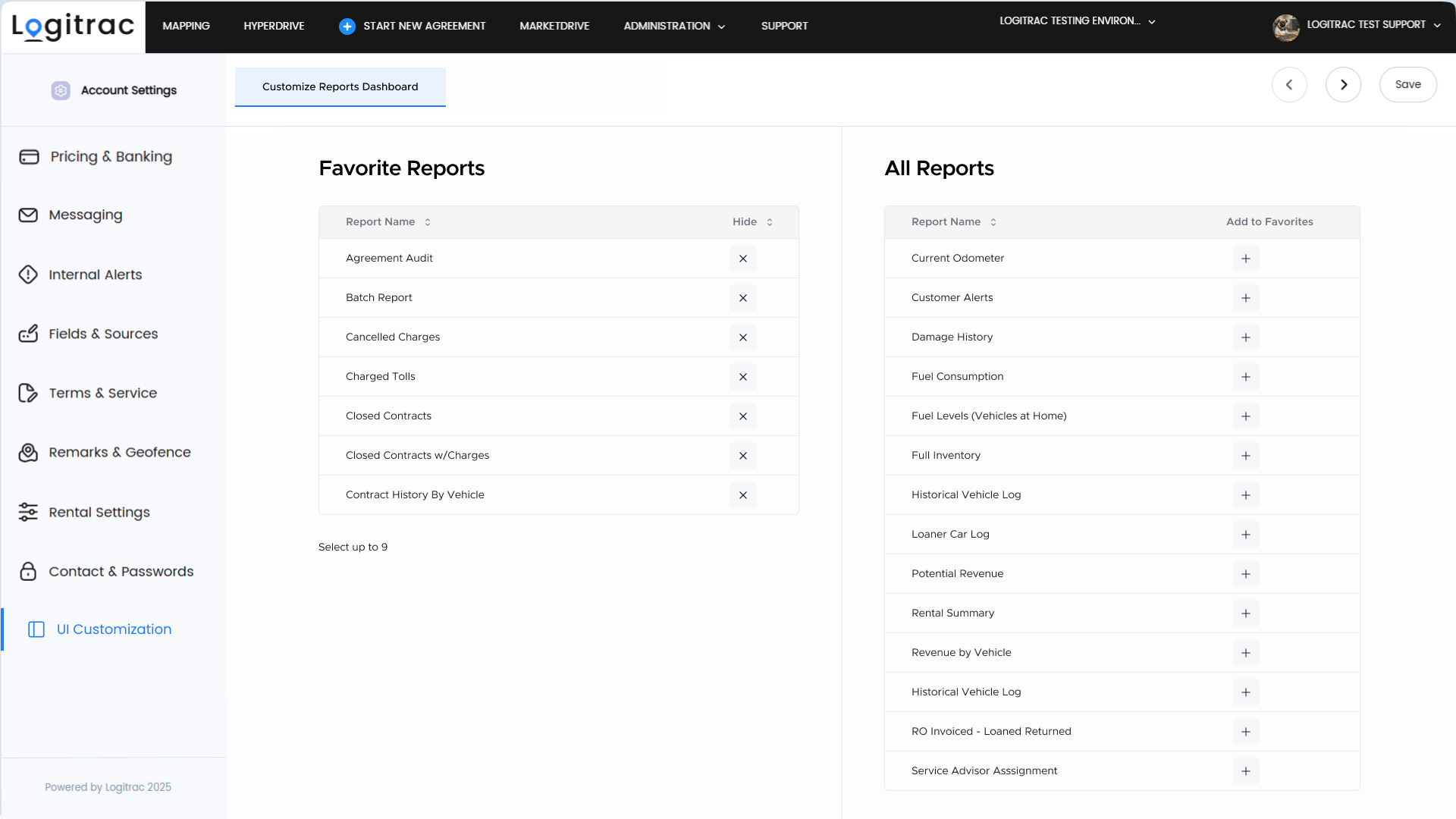
○ Dealerships can customize primary report behaviors and parameters, select which reports appear as Favorite Reports, and have the selected reports displayed as main shortcuts for quicker access in the Reports Dashboard.
● Non Logitrac Merchant Accounts Convenience Fee can now be applied to Custom Charges
○ Dealers can now choose to apply the Convenience Fee—configured in Account Settings—to any Custom Charge created in the system.
○ Non-Logitrac Merchant accounts retain full flexibility to edit the fee name and percentage as before.
● ‘Search Existing Customer’ popup added to New Reservation and New Pick-Up
○ A new Search Existing Customer popup now appears automatically when creating a New Reservation or New Pick-Up.
● New ‘Open Agreements & RO Status’ report added
○ A new operational report now displays all open agreements along with their associated repair order (RO) statuses.
○ The report supports multi-status filtering and scheduled delivery with custom RO Status filters, helping dealers track loaner vehicles and completed ROs more efficiently.
● Invoices have been redesigned with better email format
○ Invoices are now sent in a redesigned email format, providing a cleaner and more readable layout.
○ Invoices will only be sent when an agreement is paid or marked as paid, improving clarity and communication accuracy, while contract sending behavior remains unchanged.
● Connected Services fee updated for Logitrac Merchant Accounts
○ For Logitrac Merchant-enabled accounts, the fee is now standardized as Connected Services Fee 3.97% and cannot be renamed or modified by dealerships.
● Substatuses can now be assigned to any vehicle status
○ Users are no longer limited to adding substatuses only when a vehicle is placed into Hard Hold.
○ Substatuses can now be assigned and edited across all vehicle statuses, improving clarity and flexibility in status tracking.
● Automated vehicle selection in Step 2 improved with smart staging and routing
○ Vehicles in the geofenced staging area are automatically marked as available and prioritized. ◦ Loaners are sorted by lowest utilization to balance fleet wear and prevent underuse.
○ Low inventory alerts trigger automatically, with recommendations on which vehicles to prep based on demand.
● Close Agreements page buttons have been updated
○ Button layout and labeling have been refreshed for improved clarity and usability
○ Close & Pending – moves charges to Pending Payment.
○ Close & Charge – processes charges immediately upon closing the agreement.